Write Keys
Activity Description
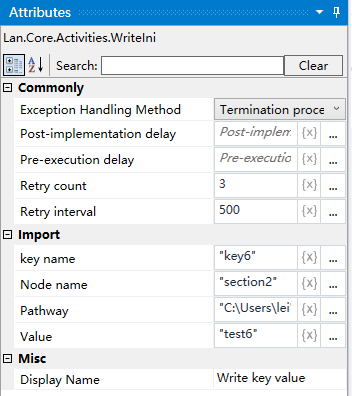
Property Description
Key name
Enter the name of the key, e.g. key6
Node name
Properties in the “.ini” file, similar to the “first level menu” of a tree structure, e.g. section2.
File Path
Input the file path of the ini file
Key value
Enter the value of the key, e.g., value6.
Example of using
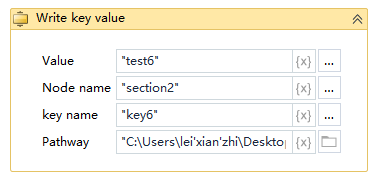
Execution steps: Run the project, it will find the absolute path of the specified “.ini” file, and write the key-value pairs into the section names under the “.ini” file according to the passed-in section names.