Customized pop-up windows
Activity Description
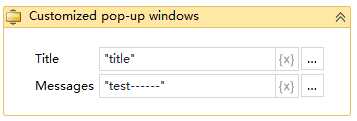
Given a popup box, you can set the title, the popup button display with the button name, the content body

Property Description
Capture Result
Outputs the result of the user's selection in the dialog box after the activity is run as a variable
Title
Set the title of the message box, default: title
CancelButtonText
Enter the text of the cancel button, default is “Cancel”.
OK button text
Enter the text of the OK button, default is “OK”.
Display Close
Select whether to display the close button in the upper right corner, default is no.
Display Cancel Button
Select whether to display the Cancel button
Show OK Button
Select whether to show the OK button
Message
Enter the content of the popup message box
Example of using
Run Result:
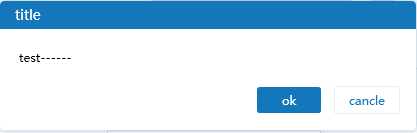
Execution steps: Run the project, the Windows system will automatically pop-up box, according to the set values, such as title, msg default value to display the contents of the message box