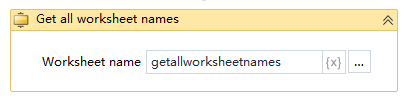
Get all worksheet names
Activity Description
Get all worksheet names in an Excel file

Property Description
Workbook worksheet name
Get all worksheet names by setting the variable name
File Path
Fill in the full path of the Excel file (you can also click the icon to the right of the input box to select the full path of the file)
Usage Example
Running result:

Execution steps: Get the names of all worksheets in the Excel sheet and output them to the variable gzbmc - Output the first worksheet name to the log - Open the run log to see the results of the acquisition
Note: When executing the activity, first close the Excel file needed for the activity