Designing the Release Project Process
How to Design the Release Project Process
Designing the flow
1, switch to the activities panel, select the activities that need to be used
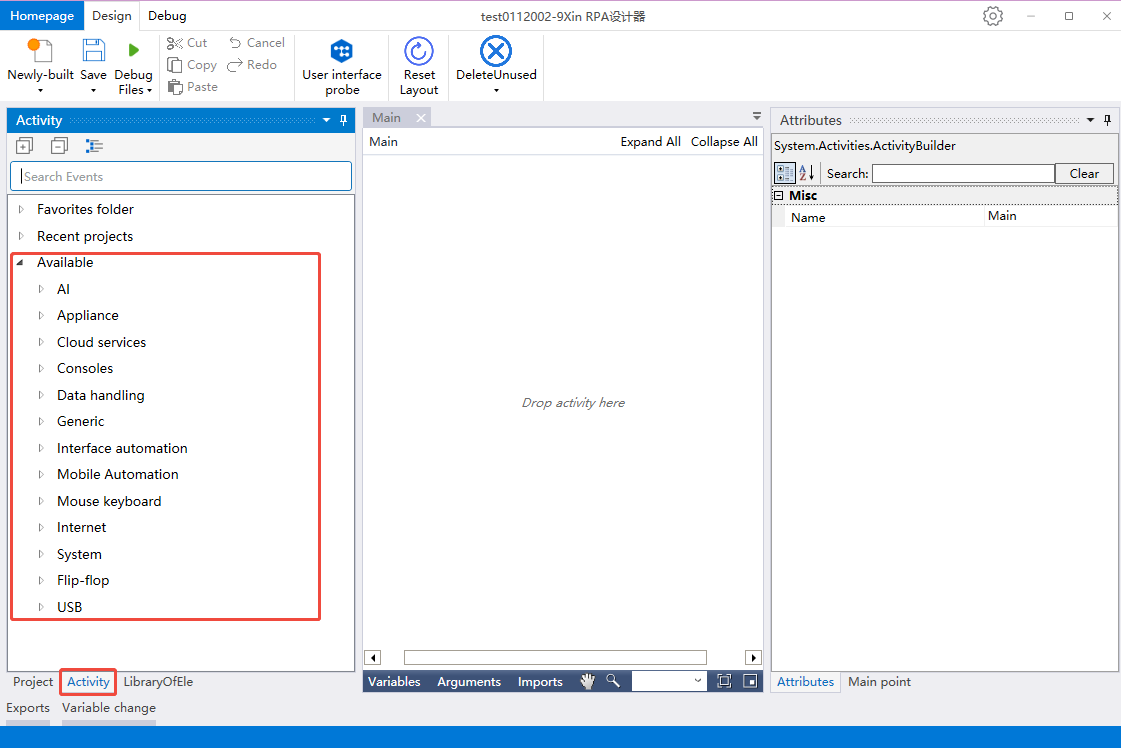
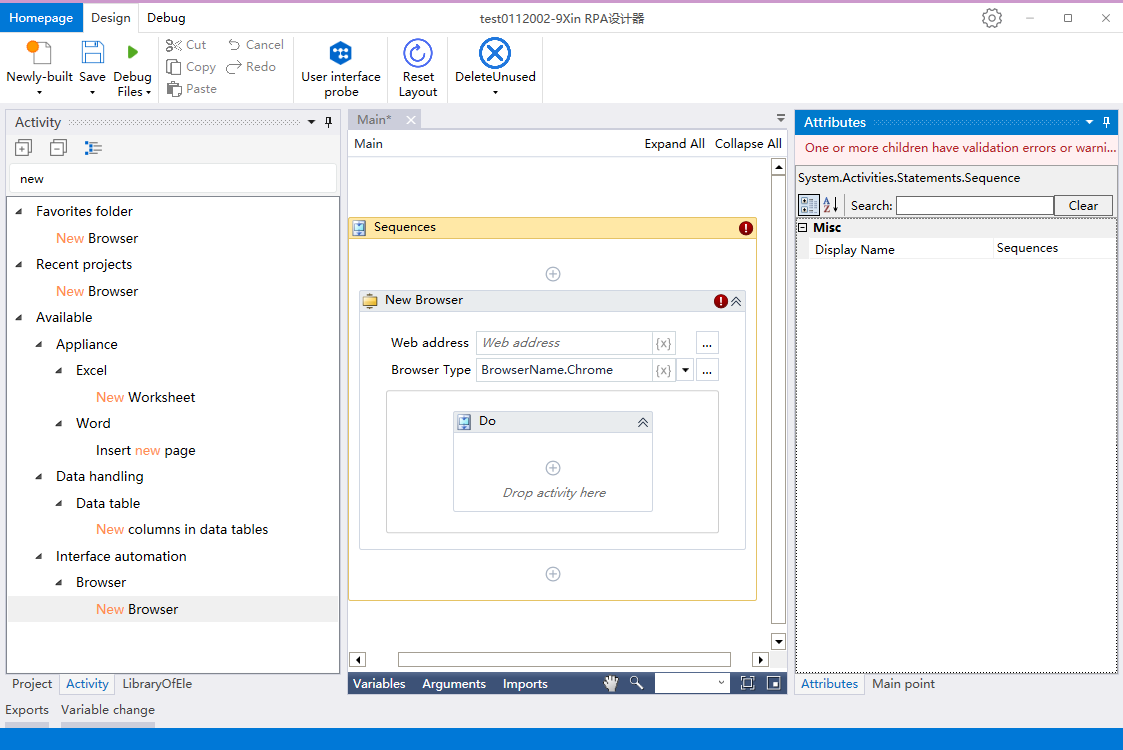
2、Click on the available, select the desired activity, support fuzzy search by the name of the activity, drag and drop the activity to the center of the sequence panel or focus on the sequence panel to double-click the activity!
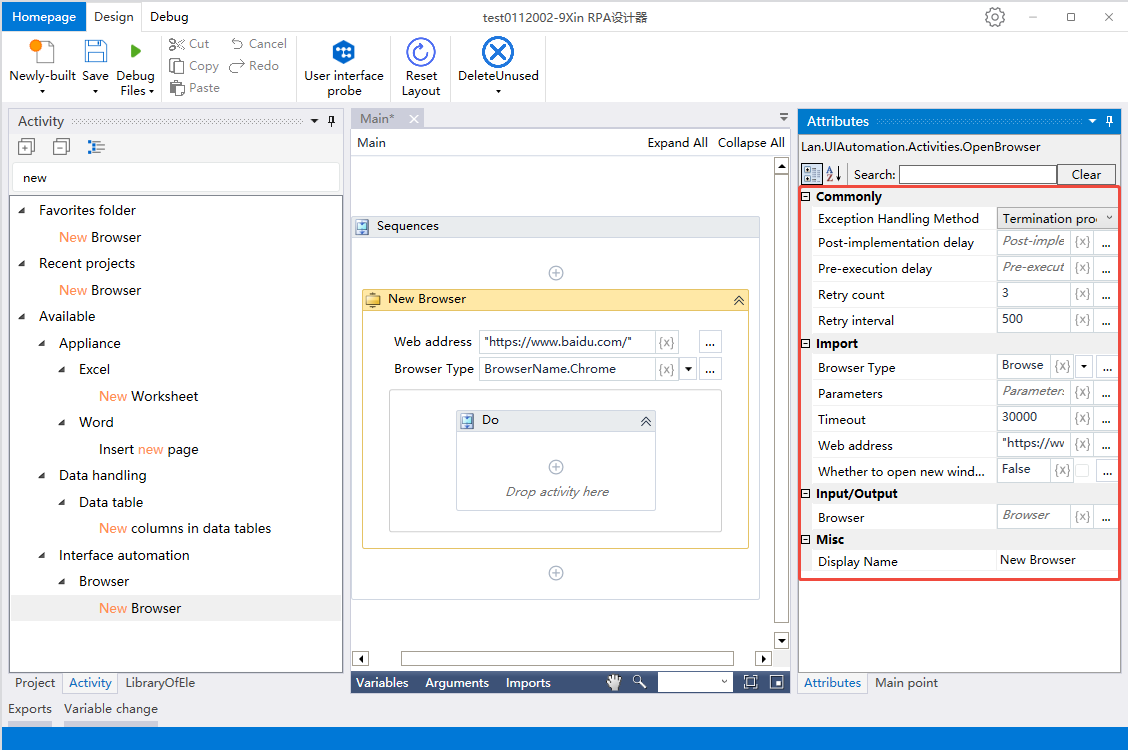
3、Click the activity, set the activity properties in the Properties panel
Publishing process
- Switch to the Project panel and select the top level of this flow
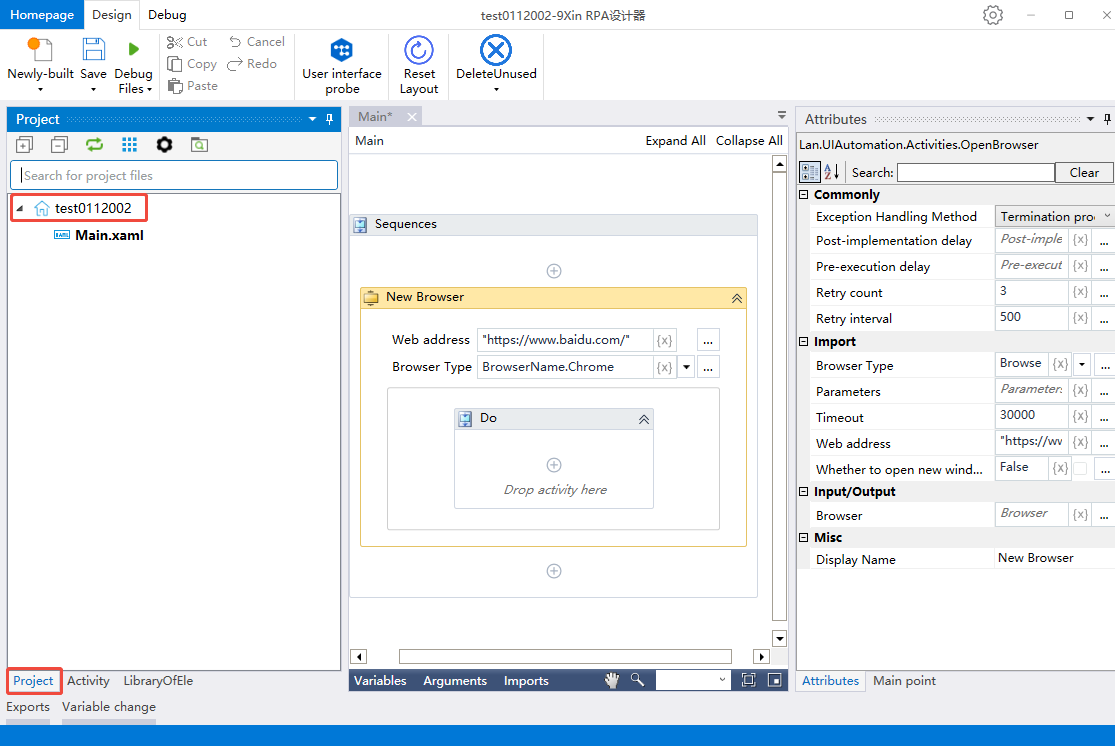
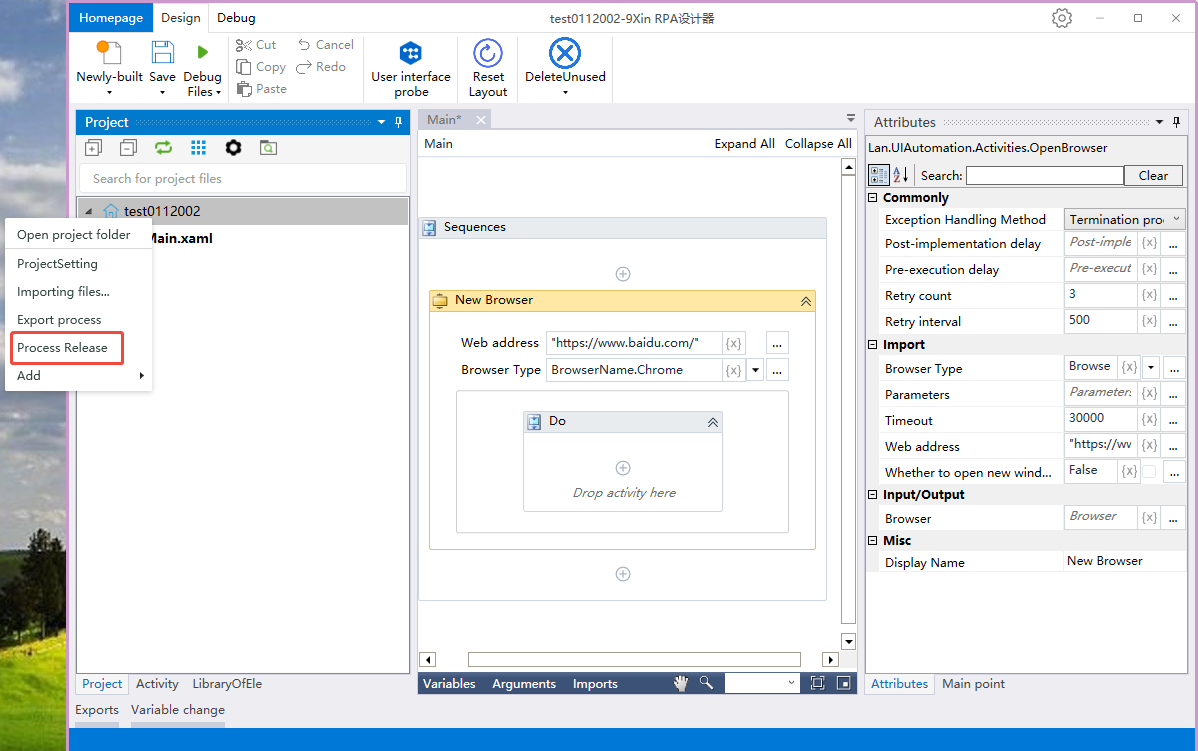
2, right mouse click, select the process publish
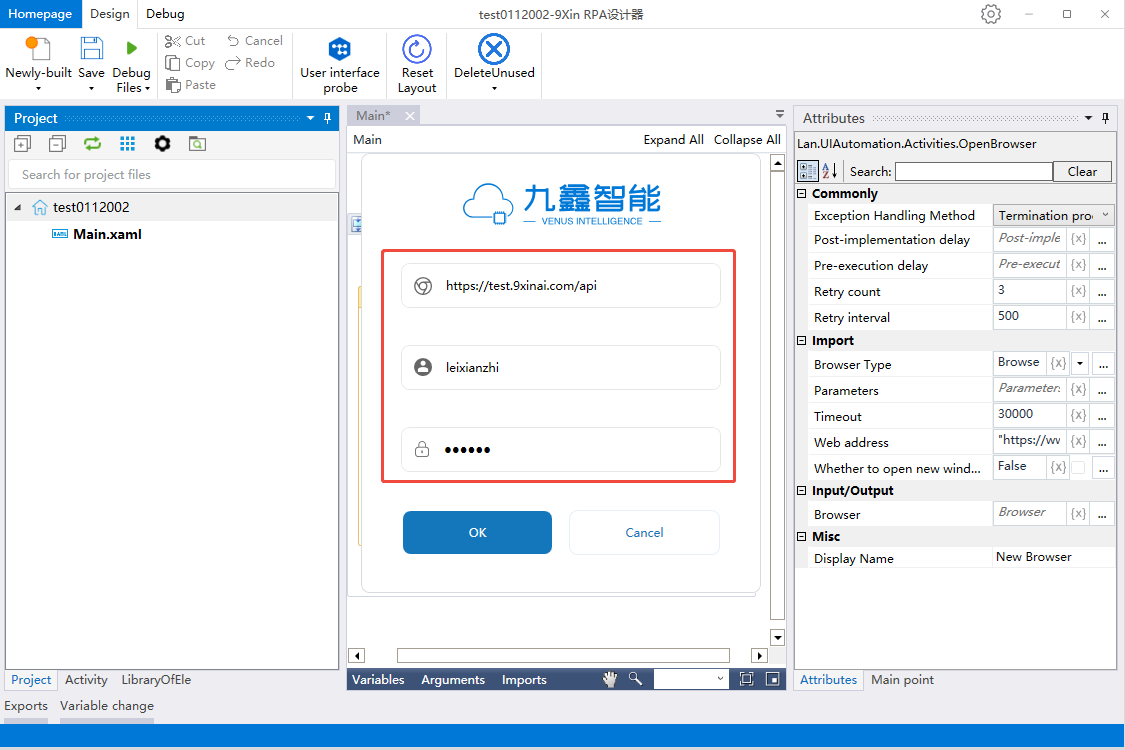
3, if the designer is not logged in, you need to log in to configure, server: fill in the console address + api, user name and password: fill in the console login user name and password, click OK button, jump to the journey to publish the page
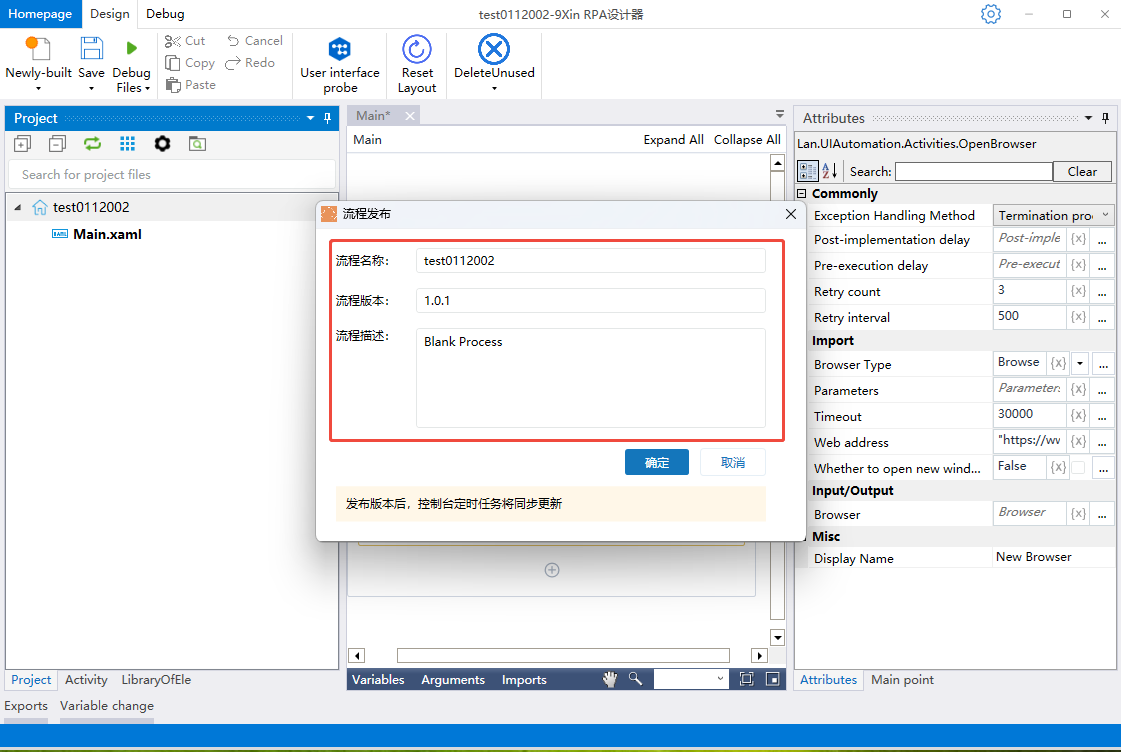
4, fill in the corresponding process name, the default display of the name of the new process, fill in the process version, the default is 2.0.0, update the release will be in the first +1, fill in the process description, click OK button!
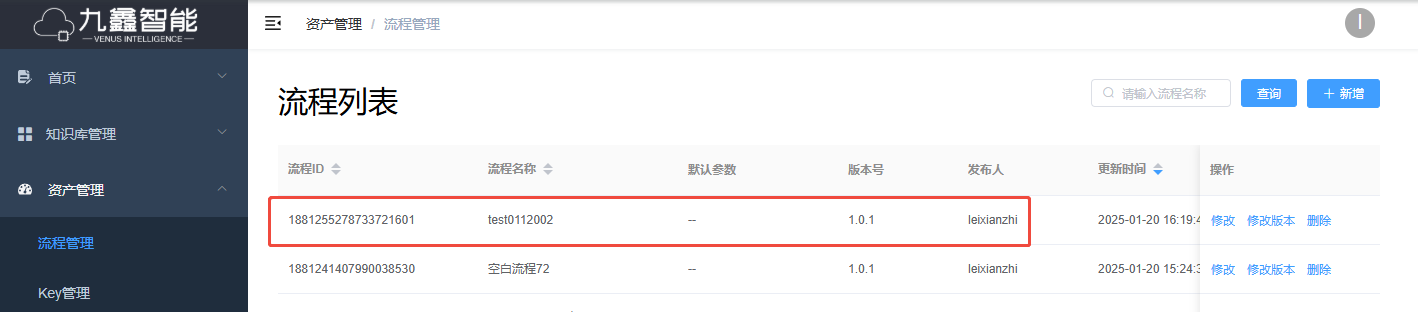
5、Publish successfully can log in the console in the asset management - process management to view