Regular expression matching nth
Activity Description
Match the input string with the given regular expression and return the nth result. You can configure the desired matching method by checking the radio button in the properties, starting from position 0.
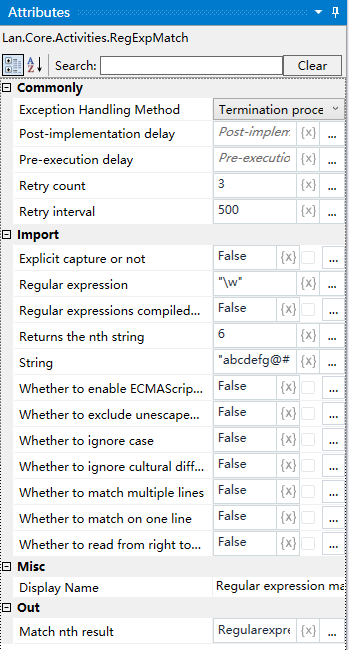
Property Description
Match to the nth result
Outputs the result matched after running the activity as a variable
Returns the nth string
Input the value to return the position of the substring, starting at position 0
Whether or not to exclude unescaped whitespace from the pattern
Select whether to exclude unescaped whitespace from the pattern when matching.
Whether to read from right to left or not
Selects whether to read from right to left when matching.
Match on a single line or not
Selects whether to match on a single line
Multi-line match or not
Selects whether to match on multiple lines
Ignore case or not
Choose whether to ignore case when matching
Choose whether or not to ignore cultural differences in language
Choose whether to ignore cultural differences in language when matching.
Whether to compile regular expressions into assemblies
Choose whether or not to compile regular expressions into assemblies when matching.
Enable or disable ECMAScript compatibility behavior
Choose whether to enable ECMAScript-compatible behavior when matching.
Capture explicitly or not
Choose whether to explicitly capture the
Regular Expressions
Enter a regular expression to be matched, e.g. \w, to match letters or numbers.
String
Enter the source string to be matched with the regular expression.
Example of using
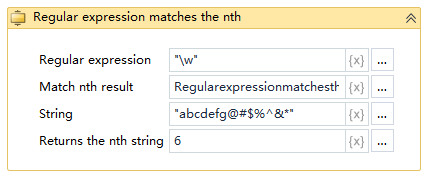
Run result:

Execution steps: Match the 6th letter or number in the source string.