Renaming worksheets
Activity Description
Renames a specified worksheet in an Excel file.
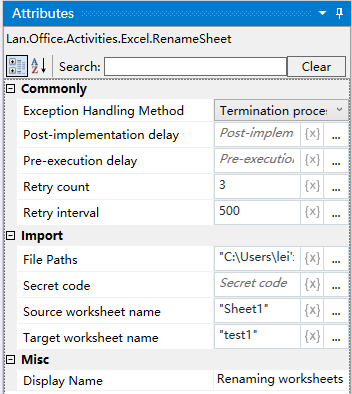
Property Description
Worksheet name
Fill in the name of the worksheet to be renamed
Target worksheet name
Fill in the name of the renamed sheet
File Path
Fill in the full path of the Excel file (you can also click the icon to the right of the input box to select the full path of the file)
Example of using
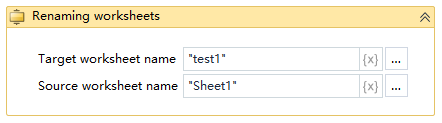
Steps: Rename the “Sheet2” worksheet in the Excel file to “test1”.
Note: When executing the activity, first close the Excel file to be used for the activity.