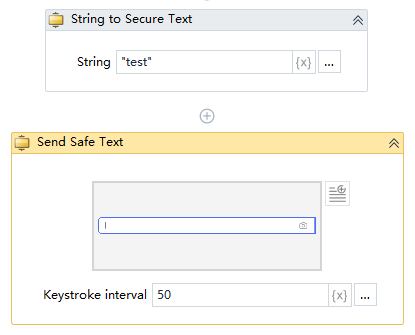
Send Safe Text
Activity Description
Simulates a manual operation to send safe text to an element. Safe text can only be entered as a variable, and can be used in conjunction with the activity “String to Safe Text”.
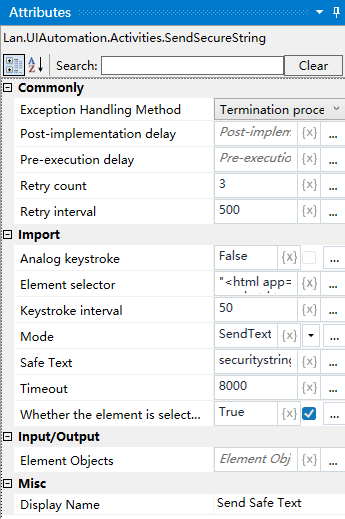
Property Description
Safe text
Input the content of the safe text to be sent, only the variable name is supported.
Timeout time
Default is 8000ms, can be customized to input
Keystroke interval
The default key interval is 50
Mode
Select input mode from the drop-down box, you can choose override, append
Element Selector
Click on the element detector to capture a new element and send safe text
Example of using