Setting Element Checks
Activity Description
Set the element status to checked or unchecked
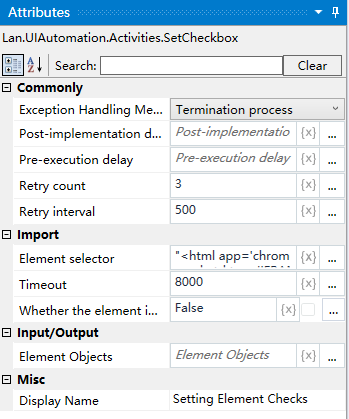
Property Description
Element Selector
Click on the element selector to capture a new element
Enter whether the element is checked or unchecked
Set element state to checked/unchecked
Usage Examples
Execution steps: Select to the element - check or uncheck according to the set element state