Write in constituencies
Event Description
Write content to a specified region range
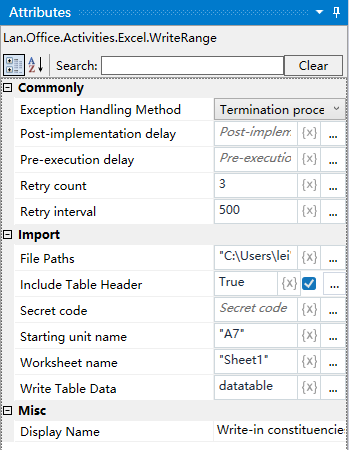
Property Description
Selection of table data
Input DataTable type variable, need to use already constructed data table
Whether to include table header
Select whether to add the header, the default is “Yes”, if you select “Yes”, then the header in the data will also be written (if the data does not contain the header, it will be added by default Column_0, Column_1, etc.), if you select “No”, then the header in the data will not be written
Working Sheet Name
Fill in the Excel worksheet name, the default is “Sheet1”.
Starting cell name
set the starting cell, the default from the cell to start writing data
File Path
fill in the full path to the Excel file (you can also click the icon to the right of the input box to select the full path to the file)
Example of use
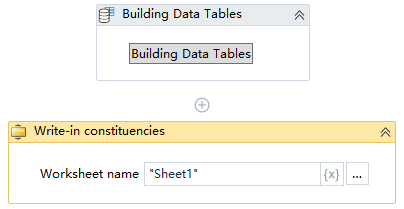
Execution steps: Get Excel table, Sheet1 worksheet in the A1: A2 region of the content - write it to the cell from the beginning of A1 - view the results of the operation
Note: the implementation of the activity, the first activity to close the need to use the Excel file