Batch insert data
Activity Description
Batch insert data into the database
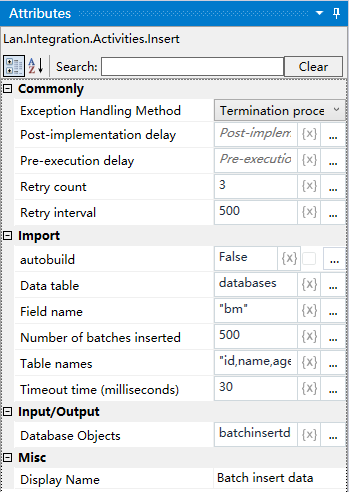
Property Description
Data table
The data to be bulk inserted into the database
Table name
The name of the table in the database into which the data will be inserted in bulk
Field Name
Need to insert the data and the table field names correspond to each other, field names and field names need to be separated by |, such as: “id | name | age | gender”
The number of batches to be inserted
The number of data to be inserted in batches, the default number of data to be inserted per batch is 500, which can be customized.
Database Objects
Define this variable through the “Connect to Database” activity to get the connection information of the database, and then operate on the data table.
Usage Example
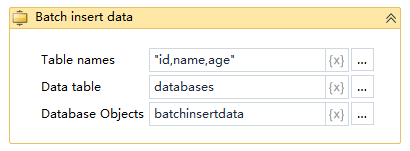
Execution steps: Connect to the database - Execute the batch insert statement - View the result of the operation.