Save Screenshot
Activity Description
Take a screenshot of the entire current screen and save it to the specified path, the image output path needs to be filled with the filename + extension
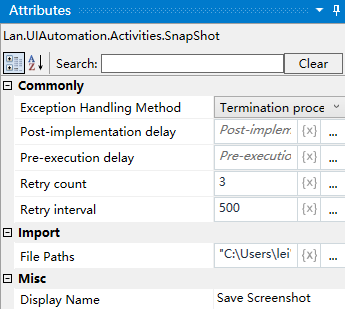
Property Description
File Path
Enter the address of the folder where the generated image is stored, including the generated file and its extension.
Usage Example
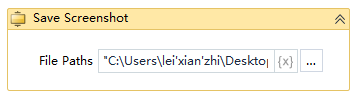
Execution steps: Run the project, you can take a screenshot of the whole screen, and put the generated screenshot in the specified path.