Keyboard Triggers
Activity Description
Monitors the triggered events for the specified key (this activity can only be used in the Trigger Scope)

Property Description
Keyboard keys
Selects the keyboard key that recognizes the trigger
Block event
If you select “Yes”, this keystroke will not take effect.
Usage Example
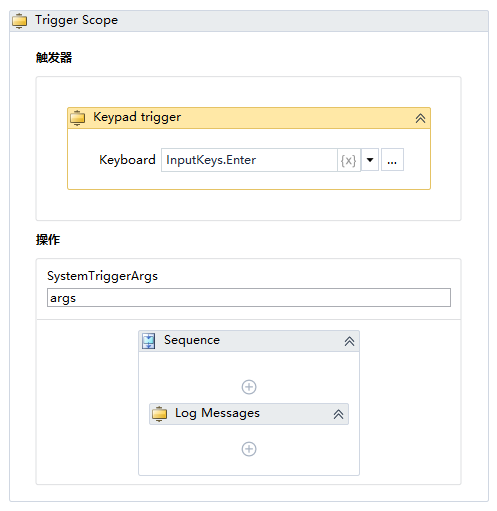
Execution steps: Recognize that the “enter” key is pressed, and then execute the [Log Message] activity.