Screenshot
Activity Description
For cell phone navigation keys
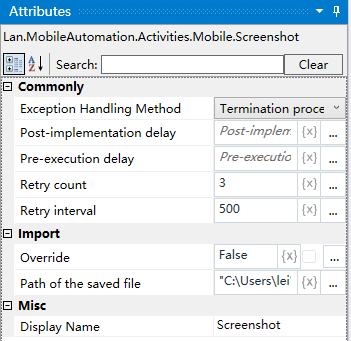
Property Description
Path to the saved file
Enter the path where the screenshot of the corresponding page is saved
Overwrite
Default is no overwrite, can be checked, will overwrite the renamed file.
Usage Example
Execution steps: Input the file save path--Execute the activity--View the screenshots saved under the corresponding path.