Get worksheet name based on index
Activity Description
Get the worksheet name in an Excel file by entering the index
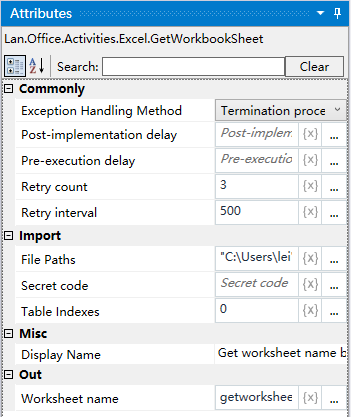
Property Description
Outputs the sheet name
Defines the variable that receives the sheet name to search for based on the index
Sheet index
Sheet order, can be directly expressed as a number Note: 0 means the first, 1 means the second
File Path
Fill in the full path of the Excel file (you can also click the icon to the right of the input box to select the full path of the file)
Usage Example
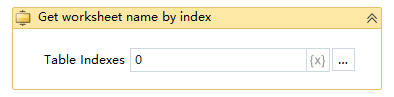
Run Result: !

Execution steps: Get the worksheet name with order 0 (first) in the Excel file - Output it as the variable symc - Print the value of the symc variable
Note: execution of the activity, the first to close the activity needs to use the Excel file