sftp ftp uploading files
Activity Description
Upload a local file to a specified path on the server using the FTP protocol

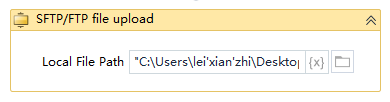
Local file path
Fill in the local file path, you need to specify the name of the file to be uploaded, for example: “C:\Users\lei'xian'zhi\Desktop\test1\lcwtest.docx”
IP of the server
If placed in the FTP connection scope can be omitted, if you are running alone need to fill in the IP of the server, for example: “192.168.2.115”.
User name
If placed in the FTP connection scope can be omitted, if it is run alone you need to fill in the user name, for example: “test”.
Password
If placed in the FTP connection scope can be omitted, if running alone need to fill in the password, for example: “123456”.
Port number of the server
Default 21, if there are other ports, according to the actual fill in
Path of the server
Path of the server file, fill in the relative path of the file, for example: “/”.
Usage Example
Note: You can use it inside the FTP connection scope without inputting the corresponding server address and username and password, but you need to input it if you execute it alone.