Get selection contents
Activity Description
Get the range of areas in the Excel file where the specified worksheet has data content.
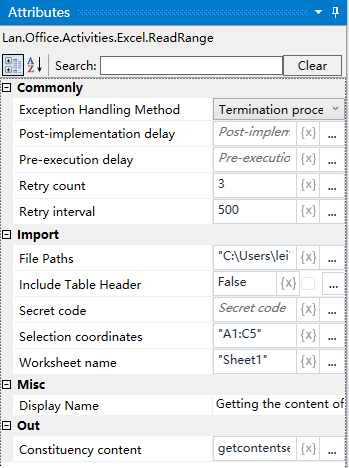
Property Description
Output range
Get the range of the area with content by setting the variable
Worksheet name
Fill in the name of the Excel worksheet
Full path of the file
Fill in the full path of the Excel file (you can also click the icon to the right of the input box to select the full path of the file)
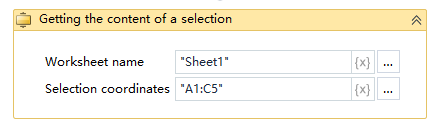
Example of using
Running results:
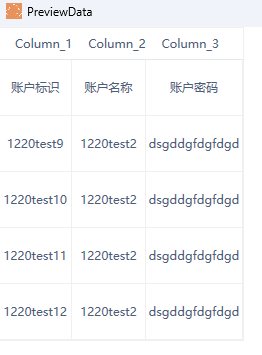
Execution steps: Get the Excel file, Sheet1 worksheet content of the regional range - output it as a variable getcontentselection - run to see the variable change
Note: the implementation of activities, the first activity to close the Excel file needs to be used