Find Cells by Background Color
Activity Description
Find an Excel cell by its background color.
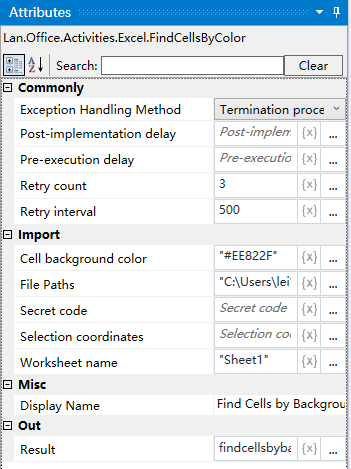
Property Description
Output Result
output variable, by setting the output variable, the acquired cells will be saved to this variable
cell background color
fill in the need to get the background color of the cell, hexadecimal input, for example: "#EE822F"
Working sheet name
Fill in the Excel worksheet name, the default sheet1
File Path
Fill in the full path of the Excel file, you can also click the icon on the right side of the input box, to select the full path of the file
Example of using
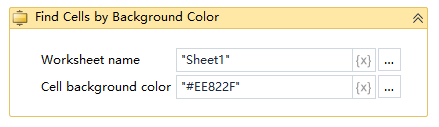
Execution steps: Get the specified Excel file, Sheet1 worksheet background color for the "#EE822F" color of the cell - the cell results will be output to the dyg variable - view the value of the dyg variable
Note: the implementation of activities, the first to close the activities need to use the Excel file