Modifying Column Information in a Data Table
Activity Description
You can change the name and position of a column based on an existing datasheet.

Property Description
Input Column
Input the corresponding columns of the data table to be modified, for example: sjb1.Columns(2)
Name
Enter the name of the column you want to modify to
Number
Input the index of the column to be modified to
Usage Example
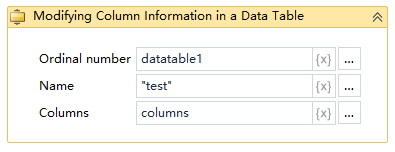
Execution steps: Create a data table - Enter the index and name of the column that needs to be modified - View the value of the variable that has changed in the corresponding output.