Moving Folders
Activity Description
To move a folder and the files under it to another folder
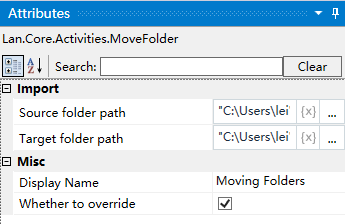
Property Description
Path to destination folder
means the folder needs to be moved to this folder
Path to source folder
means the folder to be moved
Example of using
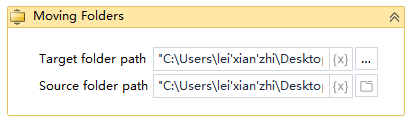
Steps: Move the “test11” folder on the desktop to the “test” folder on the desktop.